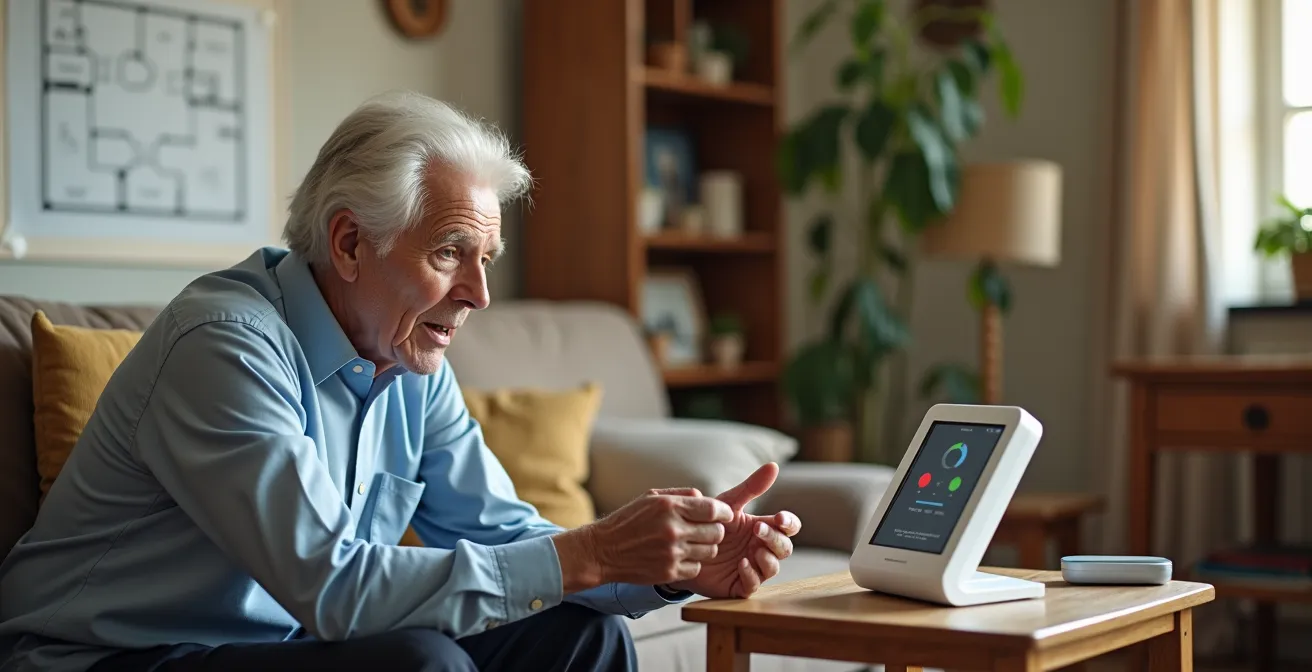
True safety isn’t about advertised range; it’s about proven voice clarity within your home’s unique acoustic environment.
- Test for faint voice detection using a standardized whisper test to find the system’s true sensitivity limit.
- Systematically map acoustic “dead zones” between floors and through different building materials.
- Verify performance under realistic failure conditions, including power outages and high levels of background noise.
Recommendation: Perform a systematic acoustic audit *before* an emergency happens to validate your system’s real-world performance and ensure your voice can be heard when it matters most.
For a senior living in a large or multi-story home, the fear of a fall is often compounded by another question: if I fall in the basement or a distant bedroom, will anyone hear my call for help? Manufacturers of medical alert systems often tout impressive range figures—1,000 feet, 1,400 feet, or more. However, these numbers, measured in open-air, ideal conditions, can be dangerously misleading. The true measure of a system’s effectiveness is not its maximum theoretical range, but its ability to clearly pick up a faint, distressed voice through multiple walls, above the hum of appliances, and across different floor levels.
Most people simply test their device by pressing the button in a few different rooms. This approach fails to account for the complex physics of sound. The real key to ensuring safety is to move beyond a simple functionality check and conduct a rigorous, physics-based acoustic audit of your own home. This guide abandons generic advice and instead provides a professional methodology rooted in audio engineering principles. It will equip you to test a voice console not just for distance, but for its resilience against acoustic dead zones, signal interference, and degradation under real-world failure conditions.
This comprehensive analysis will walk you through the critical factors that determine whether a call for help is heard. We will cover the science of microphone sensitivity, methods for mapping your home’s unique acoustic weaknesses, the technical trade-offs between different system types, and protocols for testing resilience against noise and power failures. Finally, we’ll look at the human and technological elements at the other end of the line, ensuring your call is not only heard but answered effectively.
Table of Contents: An Engineer’s Guide to Voice Console Reliability
- Why High-Decibel Sensitivity Is Crucial for Faint Voices?
- How to Map Voice Dead Zones in a Two-Story House?
- Base Station vs. Pendant-Integrated Voice: Which Is Safer?
- The Risk of TV Noise Interfering With Emergency Calls
- What Happens to the Voice Console During a Power Outage?
- Evaluating the Reliability of 24/7 Monitoring Center Staff
- Setting Up Voice-Activated Home Automation for Speech-Impaired Seniors
- How to Configure Smart Speakers for Emergency Calling?
Why High-Decibel Sensitivity Is Crucial for Faint Voices?
After a fall or during a medical event, a person’s voice may be weak, strained, or reduced to a whisper. From an audio engineering perspective, the critical question is whether the microphone’s sensitivity, or audible threshold, is low enough to detect this low-volume signal. A normal conversation happens at around 60 decibels (dB), but a whisper can be significantly quieter. Medical research shows that a whisper test, a common clinical tool for hearing assessment, is designed to detect hearing at a level of around 25-30 dB. This is the benchmark your system’s microphone must meet or exceed, especially at a distance.
The intensity of a sound signal decreases inverse to the square of the distance from the source. This means a 30 dB whisper at 3 feet becomes exponentially quieter at 20 feet, especially when passing through a wall which further attenuates the signal. A system with poor high-decibel sensitivity will simply fail to register this faint voice as a valid audio input, rendering the two-way communication feature useless. Therefore, testing for this specific scenario is not an edge case; it is the fundamental test of the system’s primary function in a worst-case scenario. You must determine the console’s minimum audible threshold in your specific environment.
Action Plan: The Whisper Test Protocol for Medical Alert Systems
- Position yourself at least 5 feet from the console with the ear being tested turned toward the device.
- Cover the opposite ear to isolate the test and have a helper monitor the console’s response.
- Using breath remaining after a normal expiration, whisper a combination of numbers and letters (e.g., “4-K-2”).
- Test at increasing distances (10, 20, 30 feet) to find the console’s minimum audible threshold.
- Repeat the test with different voice frequencies (a low whisper, a high-pitched whisper) to simulate age-related vocal changes.
- Document the maximum distance at which the console reliably responds to whispered commands to establish its true effective range.
How to Map Voice Dead Zones in a Two-Story House?
While microphone sensitivity is a property of the device, the environment between you and the console is the second major variable. Every home has a unique acoustic fingerprint. Sound waves don’t travel in a clean, straight line; they bounce off hard surfaces (glass, tile, hardwood floors) creating echoes and reverberation that can confuse a microphone. Conversely, they are absorbed by soft surfaces (heavy curtains, full bookshelves, thick carpets), which can muffle the signal. These interactions create acoustic dead zones—areas where specific sound frequencies are canceled out or so heavily attenuated that they become unintelligible to the base station.
As acoustic specialists have found in multi-story buildings, these dead zones often appear in unexpected places. Stairwells can act like tunnels that channel sound unpredictably, while concrete layers between floors can block it almost entirely. Even architectural features like angled ceilings and alcoves can trap certain frequencies. Relying on a single test from the furthest room is insufficient. A systematic approach is required to map out your home’s specific vulnerabilities. The goal is to create a “heat map” of voice clarity, identifying red (poor), yellow (moderate), and green (excellent) communication zones.
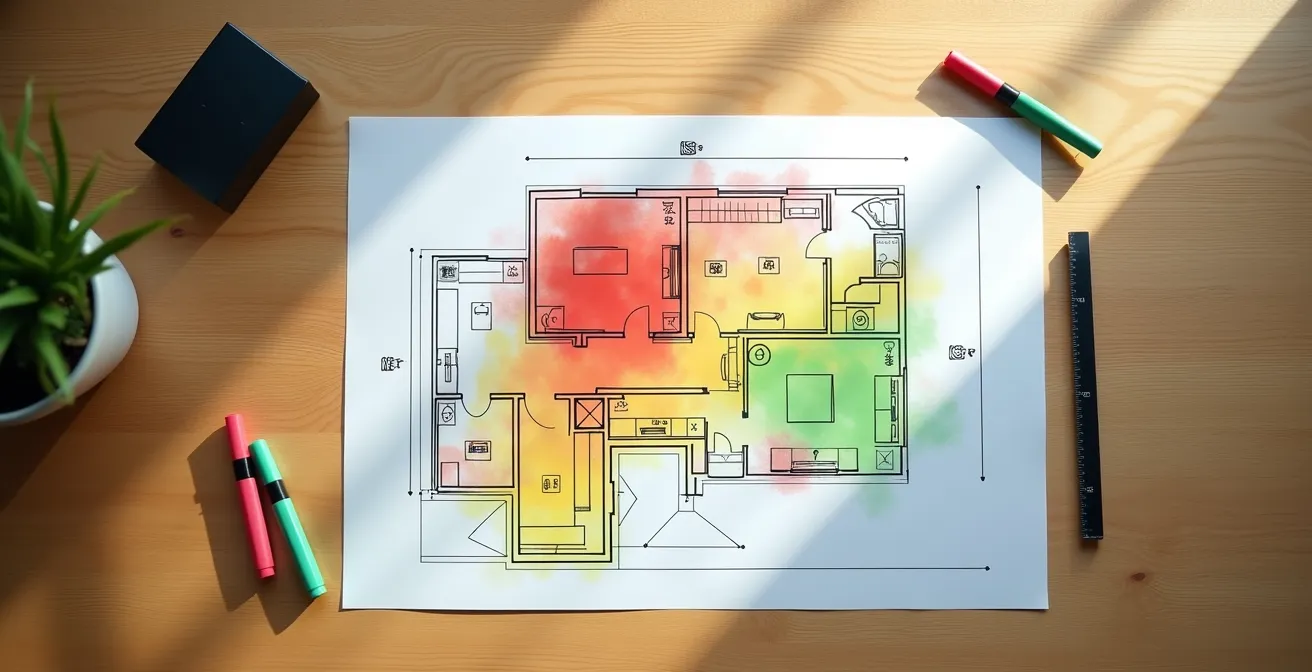
As this visualization of a floor plan shows, coverage is not uniform. A grid-based testing method allows you to methodically check small, defined areas rather than just rooms as a whole. You might discover that one corner of a bedroom has perfect clarity while the other, near a large window, is a dead zone. This granular data is what allows you to strategically place a base station or identify the need for a different type of system.
Base Station vs. Pendant-Integrated Voice: Which Is Safer?
The hardware configuration of your system plays a monumental role in its reliability. The two dominant designs are a powerful base station with a high-sensitivity microphone, and a system where the two-way voice communication is integrated directly into the wearable pendant. Each has distinct engineering trade-offs that impact safety in different scenarios, particularly in a large home. A base station provides a fixed, powerful anchor for communication, but is useless if the user falls out of its range. A pendant offers mobility, but often at the cost of speaker volume, microphone sensitivity, and battery life.
Systems with voice-in-pendant technology often boast faster connections, with some showing average response times of 16 seconds. However, they introduce a critical risk: if the user falls in a way that obstructs the pendant’s microphone (e.g., falling face down, or the pendant is trapped under clothing), the primary communication channel is compromised. In this scenario, a base station system acts as a crucial failsafe, as its microphone is still listening. The choice is not about which is “better,” but which provides the most robust failsafe redundancy for your specific home and potential risks.
This comparative analysis, based on a review of cellular alert systems, breaks down the key performance differences:
| Feature | Base Station System | Pendant-Integrated Voice |
|---|---|---|
| Range Coverage | 1,000-1,400 feet from base | Unlimited with cellular |
| Point of Failure | Single (base station) | Dual (pendant + base relay) |
| Muffled Voice Risk | Critical backup if pendant obstructed | Primary risk during falls |
| Battery Life | 32-40 hours backup | 5-6 days typical |
| Best For Emergency | Trapped under debris | Shower falls, away from base |
The Risk of TV Noise Interfering With Emergency Calls
An emergency doesn’t always happen in a silent house. A television, radio, or even a running dishwasher can create significant background noise. From an engineering standpoint, this is a battle of signal-to-noise ratio (SNR). For a call to be clear, the “signal” (your voice) must be significantly louder than the “noise” (the TV). When a person’s voice is already faint, even a moderately loud TV (typically 65-70 dB) can completely overwhelm the signal, making it impossible for the monitoring center to understand you, or for the console to even activate.
A more insidious risk is that of false triggers or command confusion. The complex dialogue, music, and sound effects from a TV show can contain frequencies and patterns that mimic human speech, potentially confusing the device’s voice activation logic. Testing a system’s performance in a chaotic sound environment is therefore essential. This involves more than just turning on the TV; it means testing with different types of audio—clear news dialogue, loud action scenes, and dynamic commercials—and at various volume levels to find the specific dB level where commands become unreliable. Strategic placement of the base unit can mitigate some of this risk.
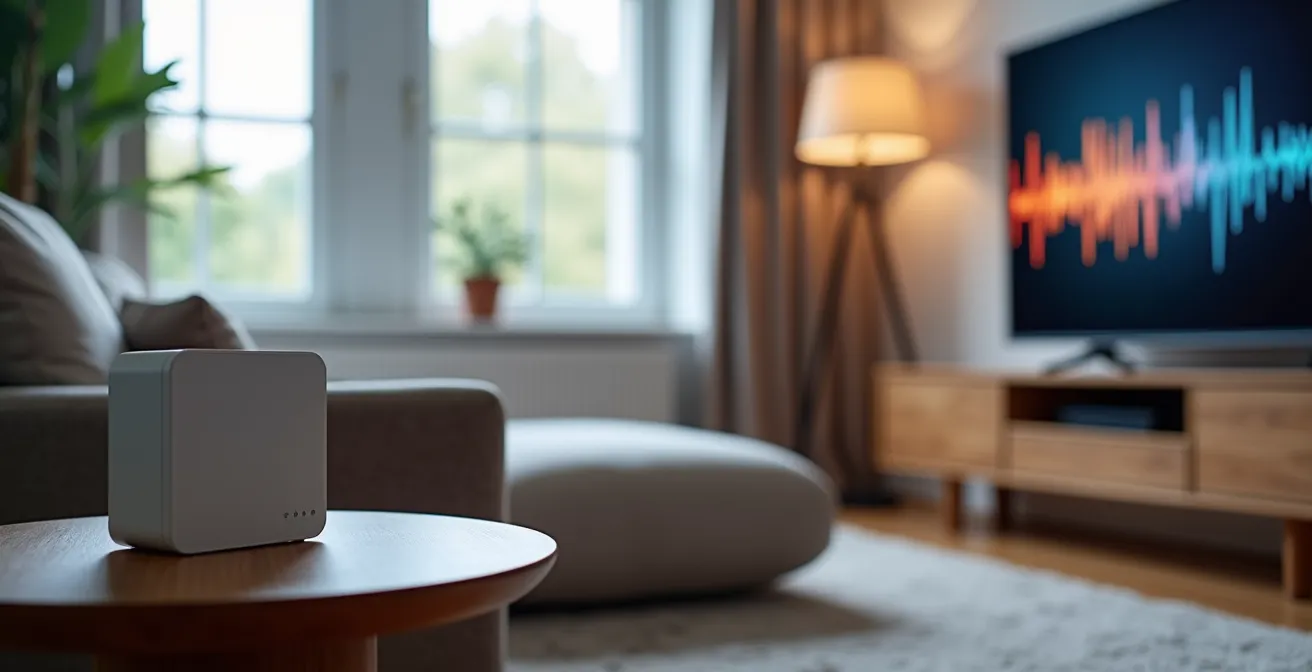
As shown, positioning the console away from the direct line of the TV’s speakers and placing it on a solid, non-vibrating surface can improve the SNR. Sound-absorbing elements in the room, such as heavy curtains and plush rugs, also play a vital role in dampening ambient noise and reducing the reverberation that can interfere with microphone clarity.
What Happens to the Voice Console During a Power Outage?
A power outage is a common secondary event during storms or other regional emergencies, making it a critical failure point to test. All reputable base stations contain a backup battery, but the advertised battery life can be misleading. A claim of “32-40 hours of backup” almost always refers to standby time—the time the device can sit idle while waiting for a signal. The reality of performance during an active call is drastically different.
As independent testing has revealed, the power drain during an active two-way voice call, especially on a cellular system searching for a distant tower, is substantially higher. A battery that lasts 40 hours on standby might only support a few hours of continuous talk time. According to real-world battery performance tests, most in-home base units remain active for only up to 3 days without power, a figure that drops sharply during an active call. The “pull the plug” test is the only way to verify your system’s true resilience. It’s also crucial to remember the console is only one part of the chain. If your system uses Voice over IP (VoIP) through an internet connection, your modem and router must also be connected to an uninterruptible power supply (UPS) to function during an outage.
The test protocol is simple but revealing: initiate a test call and, mid-sentence, unplug the unit from the wall. Monitor for any audio dropouts, disconnections, or degradation in quality as it switches to battery. This active test, rather than a passive standby check, provides a true measure of the system’s performance when multiple failures occur simultaneously.
Evaluating the Reliability of 24/7 Monitoring Center Staff
A perfectly engineered signal chain—from a sensitive microphone to a robust cellular connection—is ultimately useless if the human on the other end is not equally reliable. The quality of the 24/7 monitoring center is a crucial, yet often overlooked, component of your safety net. The effectiveness of the staff goes far beyond a friendly voice. It is determined by rigorous training, professional certifications, and operational stability. When an emergency call comes through, the operator must be ableto remain calm, quickly assess the situation from potentially fragmented audio, and dispatch the appropriate help without delay.
High-quality monitoring centers often hold certifications from organizations like The Monitoring Association (TMA), which sets standards for training, redundancy, and response protocols. Another indicator of reliability is low staff turnover. A center with experienced, long-term employees is more likely to handle complex and stressful situations with professional competence. Before committing to a service, you should inquire about the training and certification of their operators and the center’s average response time. This human element is the final, and perhaps most important, link in the chain of communication that connects your call for help to the arrival of assistance.
The best hardware in the world cannot compensate for a poorly trained or overwhelmed operator. Your evaluation process must extend beyond the device itself to include the people and infrastructure that stand behind it, ensuring they meet the highest standards of professional reliability.
Key Takeaways
- Clarity Trumps Range: A system’s ability to pick up a faint voice through walls is more important than its maximum open-air range figure.
- Your Home’s Acoustics Matter: Every home has unique dead zones and noise profiles that must be mapped and mitigated through systematic testing.
- Test for Failure, Not Success: The most valuable tests simulate real-world failure modes, such as power outages and high background noise, not ideal, quiet conditions.
Setting Up Voice-Activated Home Automation for Speech-Impaired Seniors
For some seniors, particularly those with arthritis, mobility limitations, or speech impairments resulting from a stroke, even pressing a button on a pendant can be difficult or impossible during an emergency. In these cases, voice-activated home automation systems can serve as a valuable layer of assistive technology. While not a direct replacement for a dedicated medical alert system, they can provide an alternative means of calling for help. These systems work by using smart speakers or other voice-activated hubs to initiate calls or send alerts based on pre-programmed trigger phrases.
The key challenge is configuring these systems for absolute reliability and simplicity. The trigger phrase must be easy to remember and pronounce, even for someone with slurred or weakened speech. For example, a simple phrase like “Help me now” could be programmed to call a designated emergency contact or a family member. It is essential to choose a phrase that is unlikely to be triggered accidentally by normal conversation or television audio. This setup requires careful consideration of microphone placement to ensure the user’s voice can be heard clearly from anywhere in the room, applying the same principles of acoustic mapping discussed earlier.
This approach transforms the home environment from passive to active, providing an additional safety net for individuals who may struggle with traditional, button-based devices. It empowers them with another potential lifeline, leveraging consumer technology for a critical safety function.
How to Configure Smart Speakers for Emergency Calling?
Smart speakers like Amazon Echo and Google Home can be configured to make calls, offering a hands-free way to contact help. However, it’s crucial to understand their limitations from an engineering and safety perspective. These devices are generally not designed as primary life-safety equipment. They rely on a stable Wi-Fi connection and mains power, and their ability to directly call emergency services (like 911) can vary by region and service provider. They should be considered a secondary or tertiary backup, not a replacement for a dedicated medical alert system with its own cellular connection and battery backup.
To configure a smart speaker for emergency use, you must first link it to a phone number in its companion app. The most reliable method is to set up a specific, easily-pronounceable contact, such as “Emergency Helper,” linked to the phone number of a trusted family member, neighbor, or caregiver who has agreed to be the primary contact. The command would then be simple and clear: “Alexa, call my Emergency Helper.” It is vital to test this functionality thoroughly, ensuring the command is recognized consistently and the call connects clearly.
While convenient, this solution lacks the professional monitoring and dispatch capabilities of a true medical alert service. There is no trained operator to assess the situation or stay on the line until help arrives. It is a useful tool in the overall safety toolkit, but its role must be clearly understood as a supplementary aid, not the primary line of defense.
Your ultimate goal is to remove uncertainty. By moving from a passive user to an active tester of your own safety equipment, you are taking control. The engineering principles outlined here provide a clear roadmap to validate that your voice will be heard, loud and clear, in the moment you need it most. The next step is to begin this systematic audit of your own home and equipment.