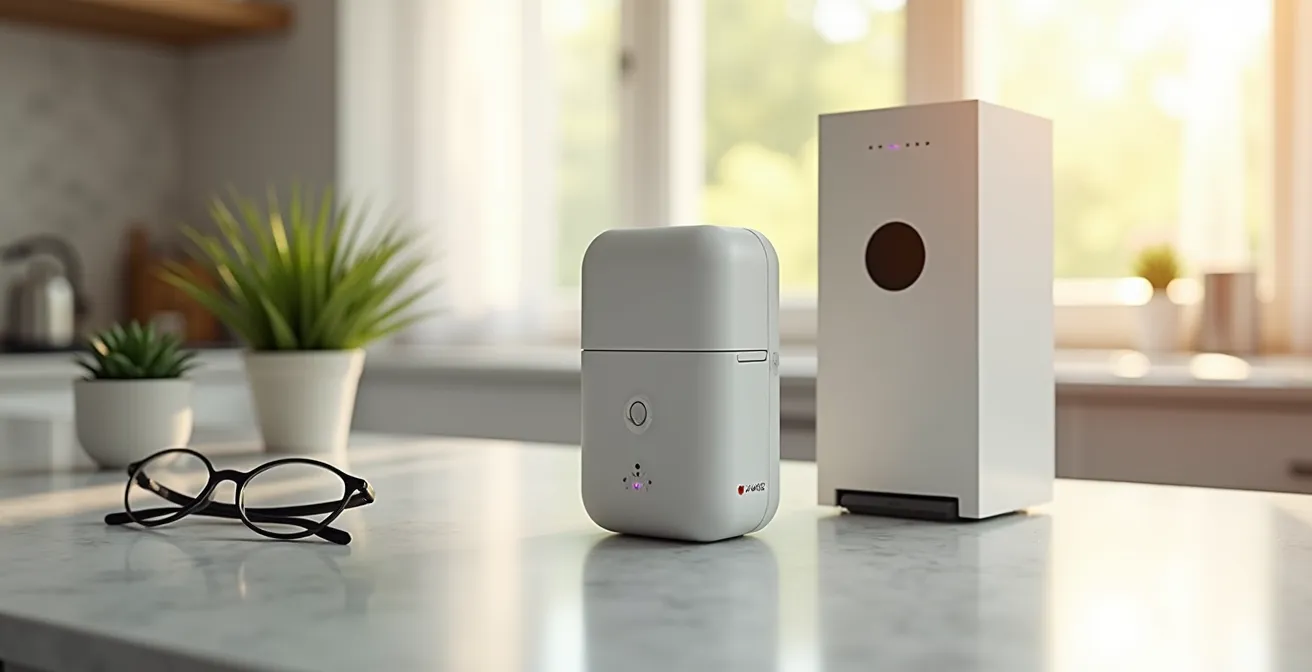
The best automated pill dispenser is not the one with the most features, but the one whose failure protocols and refill workflow best match your specific caregiving reality.
- Locked dispensers are non-negotiable for cognitive decline, preventing dangerous overdoses that simple alarms and blister packs cannot.
- True security lies in a robust backup plan for power outages or device jams, an often-overlooked but critical component of any system.
Recommendation: Prioritize evaluating a device’s error handling and schedule reloading process over its basic alarm functions to build a resilient medication management system.
For a caregiver managing a parent’s complex medication regimen—often involving ten or more pills daily, complicated by memory lapses—the standard weekly pillbox is more than just an inconvenience; it’s a source of constant anxiety. The fear of a missed dose, a double dose, or a simple mix-up is a heavy burden. Automated pill dispensers promise a technological solution, offering reminders, controlled access, and caregiver alerts. They are marketed as the definitive answer to medication non-adherence.
However, most reviews focus on a superficial checklist of features: Does it have an alarm? Does it lock? Can it notify you? While these are important, they fail to address the high-stakes operational reality of caregiving for someone with significant cognitive and physical challenges. The true test of these devices isn’t in their daily, flawless operation. It’s in their failure points. What happens when the power goes out? How difficult is it to correct a schedule change mid-month? How does the system prevent a simple jam from becoming a medical crisis?
This analysis moves beyond the marketing claims to provide a methodical review from a consultant’s perspective. We will deconstruct these devices based on the practical workflows and critical failure scenarios that caregivers face. The goal is not to find the “best” device, but to equip you with a framework for choosing the most resilient and reliable system for your loved one’s specific needs, focusing on safety, workflow efficiency, and human factors that determine long-term success.
This guide will methodically walk through the critical decision points, from assessing physical needs and programming complexities to establishing foolproof backup plans. The following sections provide a comprehensive breakdown of what truly matters when selecting an automated medication organizer.
Summary: A Methodical Guide to Choosing an Automated Pill Organizer
- Why Standard Pillboxes Fail Seniors With Dexterity Issues?
- How to Program Dosage Cycles for 4-Times-Daily Meds?
- Locked Dispensers vs. Simple Alarm Boxes: Which Do You Need?
- Blister Packs vs. Automated Dispensers: Which Is Safer for Dementia?
- The Error of Relying Solely on Batteries: What Happens When the Device Jams?
- How to Reload Schedules to Prevent Gaps in Coverage?
- How to Create “Routines” That Trigger Multiple Devices at Once?
- How to Ensure the Senior Actually Wears the Device Daily?
Why Standard Pillboxes Fail Seniors With Dexterity Issues?
The primary failure of a standard pillbox is rooted in its physical design, which often ignores the physiological realities of aging. For a caregiver, watching a parent struggle to open a small plastic latch is not just frustrating; it’s a clear sign that the tool is no longer fit for purpose. This struggle is widespread; health statistics show that almost 50% of the senior population in the U.S. has arthritis, a condition that directly impairs the fine motor skills required for a pinch-and-pull motion. The small compartments, tiny labels, and risk of spilling an entire week’s worth of medication with one tremor make these organizers a significant point of failure in a medication regimen.
Automated dispensers are engineered to solve this exact problem. Instead of requiring a firm grip and precise motor control, they typically operate with a simple, low-force press of a button or by automatically presenting the correct dose in an easy-to-access cup or drawer. This shift from a manual to an automated action drastically reduces the physical and cognitive load on the senior. For caregivers, this means fewer frantic calls for help and greater confidence that their loved one can independently access their medication at the correct time.
The following table breaks down the fundamental differences in physical demands between these two systems.
| Feature | Standard Pillbox | Automated Dispenser |
|---|---|---|
| Opening Mechanism | Manual snap-lid closure | Touch-button release |
| Required Dexterity Level | High – pinch grip needed | Low – simple press |
| Visual Requirements | Must read small labels | Large LCD display |
| Risk of Spills | High when opening | Minimal – controlled dispensing |
| Refill Complexity | Manual weekly sorting | Monthly bulk loading |
Case Study: Design for Dexterity-Limited Users
Consider the operational design of a device like MedMinder. Their automatic dispenser is designed to eliminate the need for users to flip or manipulate the device to get their pills, a common challenge for those with tremors or weakness. The system uses pre-sorted medication trays that are simply slid into place, which removes the tedious and error-prone task of manual sorting. As described in a review by The Senior List, the user’s only task is to open a blinking compartment when a dose is due. This MedMinder automatic dispenser design requires minimal hand strength or fine motor control, making it a viable solution for seniors with significant dexterity issues.
How to Program Dosage Cycles for 4-Times-Daily Meds?
Programming a complex medication schedule is where a caregiver’s role shifts from physical support to that of a technician. A four-times-daily regimen is not as simple as every six hours; it often involves specific timings around meals, other medications, or sleep cycles. A typical schedule might look like 8 AM (with food), 2 PM, 8 PM (with food), and a 2 AM dose for a condition like Parkinson’s. Manually managing this with simple alarms is prone to error and creates immense cognitive load for both the senior and the caregiver.
Modern automated dispensers address this through companion apps that offer granular control. These platforms are the central nervous system of the medication management strategy. The key is to look for an interface that allows for contextual programming. This means you can do more than just set a time; you can add specific instructions like “take with a full glass of water” or “take with breakfast,” which are then displayed or announced at dispensing time. For as-needed (PRN) medications, a robust system allows you to set maximum daily limits to prevent accidental overuse, a critical safety feature for pain or anxiety medications.
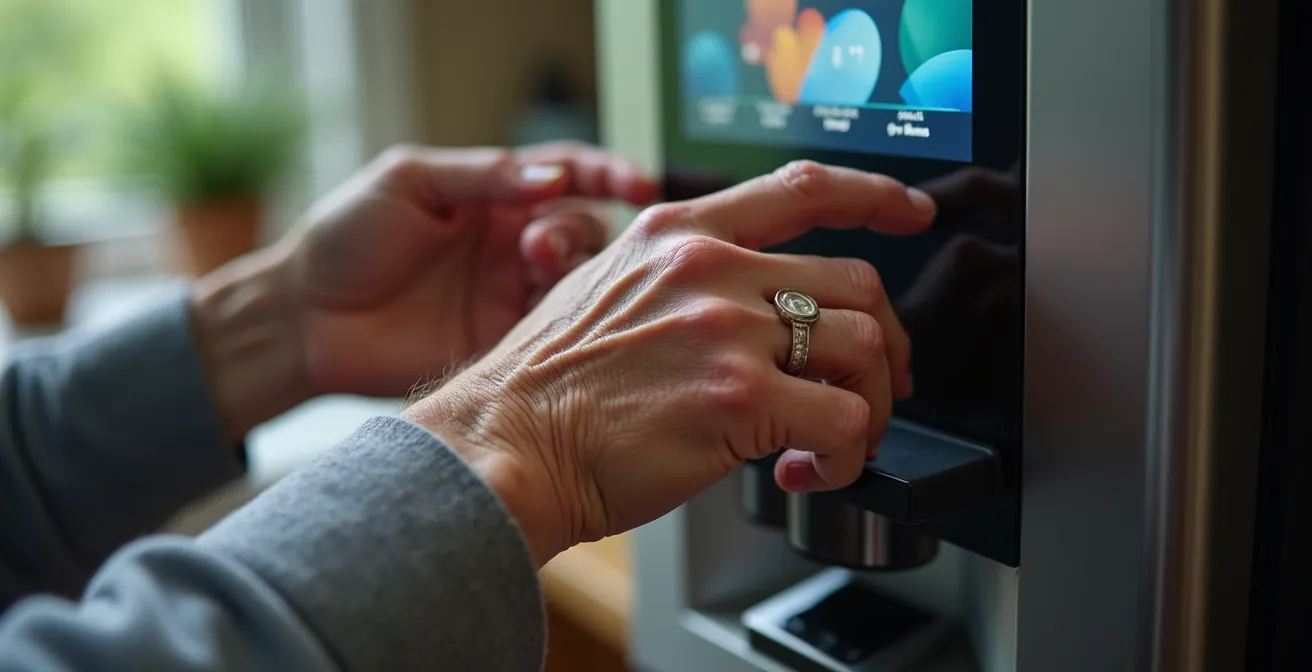
The initial setup can be time-consuming but is a crucial investment. The process generally involves entering each medication, its dosage, and the specific times it should be taken. The most advanced systems integrate with pharmacy databases or allow QR code scanning to import prescription information automatically, drastically reducing the risk of manual entry errors. Once programmed, this digital schedule becomes the single source of truth, eliminating the guesswork and handwritten notes that often lead to confusion.
Here are the typical steps involved in setting up a complex schedule:
- Enter medications into the companion app, often using a search feature that pulls from a drug database.
- Set specific dosing times, distinguishing between fixed times (e.g., 8 AM, 2 PM) and interval-based schedules (e.g., every 6 hours).
- Configure contextual reminders for medications that require food or have other special instructions, using both on-screen text and audio alerts.
- Add PRN (as-needed) medications with clearly defined maximum daily limits to prevent potential overuse.
- Enable caregiver notifications to receive alerts for missed doses, device errors, or when a loved one makes changes to the schedule.
- Use a QR code import feature if available from your pharmacy to load the schedule automatically and minimize manual data entry.
Locked Dispensers vs. Simple Alarm Boxes: Which Do You Need?
The decision between a locked dispenser and a simple alarm box is not about preference; it’s a critical risk assessment. A simple alarm box is a reminder tool. It flashes or beeps, but it provides unrestricted access to all medications. For a senior who is merely forgetful but cognitively sound, this may be sufficient. However, for a caregiver managing a loved one with dementia, Alzheimer’s, or any condition involving memory loops or compulsive behaviors, a simple alarm box is dangerously inadequate. It does nothing to prevent the primary risk: a patient taking a dose, forgetting they took it, and then taking it again minutes later.
A locked dispenser is a safety device. It physically prevents access to future doses, only releasing the correct pills at the correct time. This single feature transforms it from a convenience into an essential tool for preventing accidental overdose. As the editorial team at OurParents notes, the purpose is clear. Their guide states that “locks help prevent seniors with dementia from taking pills more than once and taking pills at the wrong time.” This control is non-negotiable when managing potent medications for conditions affecting memory and judgment.
Furthermore, these devices aren’t just about restriction; they’re about providing a safe structure for independence. The system takes on the burden of remembering and securing the medication, allowing the senior to follow a simple, guided action: take the pills that are presented. When evaluating a locked dispenser, it’s crucial to examine its emergency override mechanism. What happens if a dose needs to be given off-schedule? Most quality devices include a physical key or a PIN code system accessible to the caregiver, ensuring that safety controls don’t become a barrier during a genuine emergency.
Blister Packs vs. Automated Dispensers: Which Is Safer for Dementia?
For decades, pharmacy-filled blister packs have been the go-to solution for organizing complex medication schedules. They offer the benefit of professional sorting, which significantly reduces the risk of a caregiver making a loading error. Each bubble contains the correct pills for a specific time and day. However, for a patient with dementia, the blister pack shares the same fundamental flaw as a simple pillbox: it does not prevent access. A determined or confused individual can easily push through multiple bubbles, taking several doses at once.
This is where the core safety proposition of an automated dispenser becomes evident. As one guide on the topic highlights, “for patients with compulsive behaviors or memory loops, the fact that a dispenser hides future doses is a critical safety feature that blister packs lack.” The device physically conceals and secures all future medications, making it impossible for the user to access them before the scheduled time. This “out of sight, out of mind” approach is a powerful tool in managing behaviors driven by confusion or anxiety.
Moreover, automated dispensers provide an active feedback loop that blister packs cannot. A dispenser records whether a dose was taken; a blister pack cannot confirm if the pills were actually consumed or simply pushed out and discarded. This data is invaluable for a caregiver. The adherence tracking offered by dispenser apps provides objective insight, allowing for timely intervention if doses are being missed. Indeed, a 2024 scientific study confirmed that user-friendly pill dispensers significantly helped seniors take their medication correctly, reinforcing that the right interface can drive better outcomes. While blister packs solve the problem of sorting, automated dispensers solve the more critical problems of timing, access control, and adherence verification, making them an inherently safer choice for individuals with dementia.
The Error of Relying Solely on Batteries: What Happens When the Device Jams?
The greatest weakness of any technological solution is its potential for failure. With an automated pill dispenser, this risk is not a minor inconvenience—it can be a serious medical event. Relying solely on a device without a robust contingency plan is a critical error in judgment. The most common failure points are power loss and mechanical jams. While most dispensers have battery backups, they are a temporary solution designed to last hours, not days. A prolonged power outage could leave a patient without access to essential medications.
A mechanical jam, where a pill becomes lodged in the dispensing mechanism, presents a more immediate problem. The device may register the dose as dispensed when it was not, or it may fail to dispense anything at all. In this scenario, a caregiver needs a clear and immediate protocol. This is why a medication backup kit is not optional; it is a mandatory component of a safe automated dispensing system. This kit is your low-tech, foolproof redundancy.
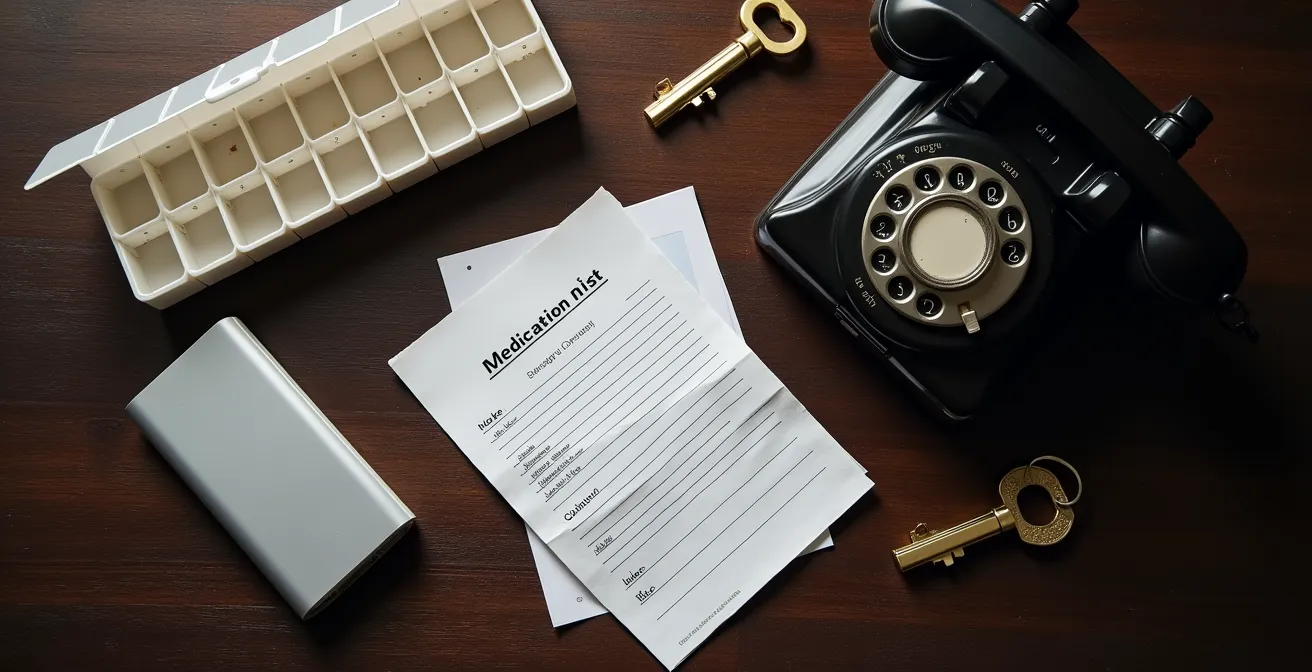
The backup kit should be stored in an accessible location and its contents should be regularly checked and updated. It serves as the bridge that ensures continuity of care when the technology fails. Before purchasing any dispenser, a caregiver must ask: What is the manufacturer’s recommended procedure for a jam? How easy is it to manually open the device in an emergency? The answers to these questions are just as important as the device’s list of features. A system that is easy to override manually is superior to a more complex one that becomes an impenetrable box during a malfunction.
Your Essential Medication Backup Plan: The Emergency Kit Checklist
- Emergency Supply: Keep a 7-day supply of all medications pre-sorted in a simple, labeled weekly pillbox.
- Printed Documentation: Maintain a printed medication list with dosages, times, and the purpose of each drug.
- Contact Information: List the emergency contact numbers for the pharmacy and all prescribing doctors on the same sheet.
- Manual Access: Include the manual safety key for the locked dispenser in a secure but known location within the kit.
- Power Redundancy: Have a small, dedicated uninterruptible power supply (UPS) or a fully charged backup battery pack ready for the dispenser.
How to Reload Schedules to Prevent Gaps in Coverage?
The refilling process is the most demanding recurring task in any medication management system. With a complex regimen, manually sorting dozens of pills into weekly trays is not only time-consuming—taking one to two hours—but also carries a high risk of error. Placing a single pill in the wrong compartment can have serious health consequences. This is a significant source of caregiver stress and a major operational challenge that automated systems aim to solve in two distinct ways: bulk self-filling and pharmacy pre-fill services.
Bulk self-filling systems, like the one used by Hero, allow a caregiver to pour up to a 90-day supply of up to 10 different medications into separate containers within the device. The machine then handles the sorting internally. This dramatically reduces both the time investment and the risk of placing a pill in the wrong time slot. The primary challenge here is handling mid-cycle prescription changes. A robust system will allow you to update the schedule in the app and either add a new medication or instruct the device to stop dispensing an old one without requiring you to discard and resort all existing pills.
The alternative is a pre-fill service, where a partner pharmacy sorts the medication into a proprietary tray or cartridge that is shipped directly to you. This is the lowest-effort, lowest-error option, but it comes at a cost, typically a service fee on top of the device subscription. This table provides a clear comparison of the tradeoffs:
| Aspect | Manual Self-Fill | Pharmacy Pre-Fill Service |
|---|---|---|
| Time Investment | 1-2 hours weekly | 5 minutes to load tray |
| Error Risk | High – wrong compartment possible | Low – professionally sorted |
| Cost | Device cost only | Device + service fee ($30-60/month) |
| Mid-Cycle Changes | Must resort all pills | New tray shipped |
| Verification | Visual check only | Pharmacist verified |
Case Study: The Pharmacy Partnership Model
To address the refill burden, companies like Hero Health have developed partnerships with pharmacies to streamline the process. The system tracks on-hand medication levels and can automatically notify caregivers or even the pharmacy when supplies are running low. This model moves away from the hours of manual sorting each month. A review of the service notes that its bulk-loading system for a 90-day supply and its app’s ability to maintain a complete medication history make it highly adaptable. Crucially, it can accommodate mid-cycle prescription changes without the massive waste and effort of discarding and resorting existing pills, preventing dangerous gaps in coverage.
How to Create “Routines” That Trigger Multiple Devices at Once?
A truly smart medication dispenser does not operate in a vacuum. Its value is magnified when it integrates into a broader “smart home” ecosystem. This integration allows a single event—like the dispensing of morning medication—to trigger a cascade of other helpful actions. This is achieved by creating “routines” through platforms like Amazon Alexa, Google Home, or services like IFTTT (If This, Then That). For a senior living alone, these routines can provide gentle, ambient cues that reinforce a daily schedule and enhance safety.
For example, a caregiver can program a “Good Morning” routine. When the dispenser alerts the senior to take their 8 AM dose, the same signal can simultaneously turn on the kitchen lights, start playing a favorite radio station, and even trigger an audible reminder from a smart speaker: “Good morning, Mom. Time for your pills. Don’t forget to have some toast with them.” This layering of sensory cues (light, sound, voice) is far more effective than a simple beep from a single device, especially for someone with mild hearing or vision impairment.
Similarly, a “Bedtime” routine could be linked to the evening dose. Once the dispenser confirms the medication has been taken, it could trigger the thermostat to adjust to a comfortable sleeping temperature, ensure all smart-locked doors are secured, and turn off the main house lights. These automated sequences reduce the cognitive load on the senior, as they no longer need to remember a multi-step checklist. It also provides peace of mind for the caregiver, who can see that a sequence of safety-critical actions has been completed. Setting up these integrations requires some technical comfort but transforms the dispenser from a standalone gadget into the cornerstone of a supportive, automated home environment.
Here is a basic guide to setting up these integrations:
- Connect the pill dispenser to the home’s 2.4GHz Wi-Fi network, as most smart devices require this band.
- Link the dispenser’s companion app to your chosen smart home hub, such as Amazon Alexa or Google Home.
- Create a morning routine where the dispenser’s alert also triggers kitchen lights to turn on and a breakfast reminder to play on a smart speaker.
- Set up a bedtime routine where confirmation of the evening dose triggers door locks to engage and the thermostat to adjust.
- Use IFTTT applets to create custom workflows, such as logging medication times in a Google Sheet for detailed tracking.
- Link to telehealth devices by having a post-medication prompt remind the user to perform a blood pressure check.
Key takeaways
- The physical design of standard pillboxes presents significant barriers for seniors with dexterity issues like arthritis, making automated, low-force dispensers a safer alternative.
- True safety for dementia patients comes from locked dispensers that physically prevent access to future doses, a feature that simple alarm boxes and blister packs lack.
- A robust medication management strategy must include a non-negotiable, low-tech emergency backup kit to handle inevitable technology failures like power outages or device jams.
How to Ensure the Senior Actually Wears the Device Daily?
For medication management systems that rely on a wearable component—such as a pendant or wristband that provides alerts when the user is away from the main dispensing unit—the biggest challenge is adoption. A caregiver can invest in the most advanced technology, but if the senior refuses to wear it, the system is useless. The key to ensuring daily use lies in understanding and addressing the human factors behind rejection.
Acknowledge that seniors often reject devices that ‘look medical’ and highlight ones that look like modern watches or jewelry.
– Medication Management Expert, Best Practices for Wearable Alert Adoption
This insight is critical. The aesthetic design of the wearable is paramount. A device that looks like a sleek, modern smartwatch or an elegant piece of jewelry is far more likely to be accepted than a bulky, plastic button that screams “medical alert.” The goal is to frame the device not as a symbol of frailty, but as a tool of modern convenience and independence.
Beyond aesthetics, the most effective strategy for building this new habit is “habit stacking.” This technique involves linking the new behavior (putting on the wearable) to an existing, deeply ingrained daily routine. Instead of just handing the device to your loved one and asking them to remember it, you physically integrate it into their environment. This small change in approach can make a significant difference in long-term adherence.
The following strategy outlines how to apply habit stacking for wearable adoption:
- Identify existing morning habits: Does your parent put on glasses, a watch, or hearing aids every morning without fail?
- Place the new wearable with these daily essentials. If they always reach for their watch on the nightstand, put the alert device right next to it.
- Create a dedicated charging station next to their phone or another device they charge nightly. This makes charging part of an established routine.
- Use positive framing. Instead of saying, “You need this in case you fall,” try, “This is great because it will buzz to remind you about your pills even when you’re out in the garden.”
- Start small. Begin with daytime-only wear and gradually extend it to all-day use as they become more comfortable.
- Celebrate small wins. Acknowledge and offer positive reinforcement for each day they successfully wear the device, building momentum and a sense of accomplishment.
Frequently Asked Questions on Automated Pill Dispensers
When is a locked dispenser necessary?
Locked dispensers are essential for patients with dementia, those at risk for addiction with controlled substances, households with children, or anyone with compulsive behaviors around medication.
What override options exist for emergencies?
Most locked dispensers include either a physical safety key or a PIN code system. Some models like Hero allow temporary PIN bypasses through the caregiver app for emergency access.
How do I introduce a locked dispenser without offending my loved one?
Frame it as a tool for maintaining independence: ‘This helps you stay in control of your schedule and prevents anyone else from accessing your medications.’