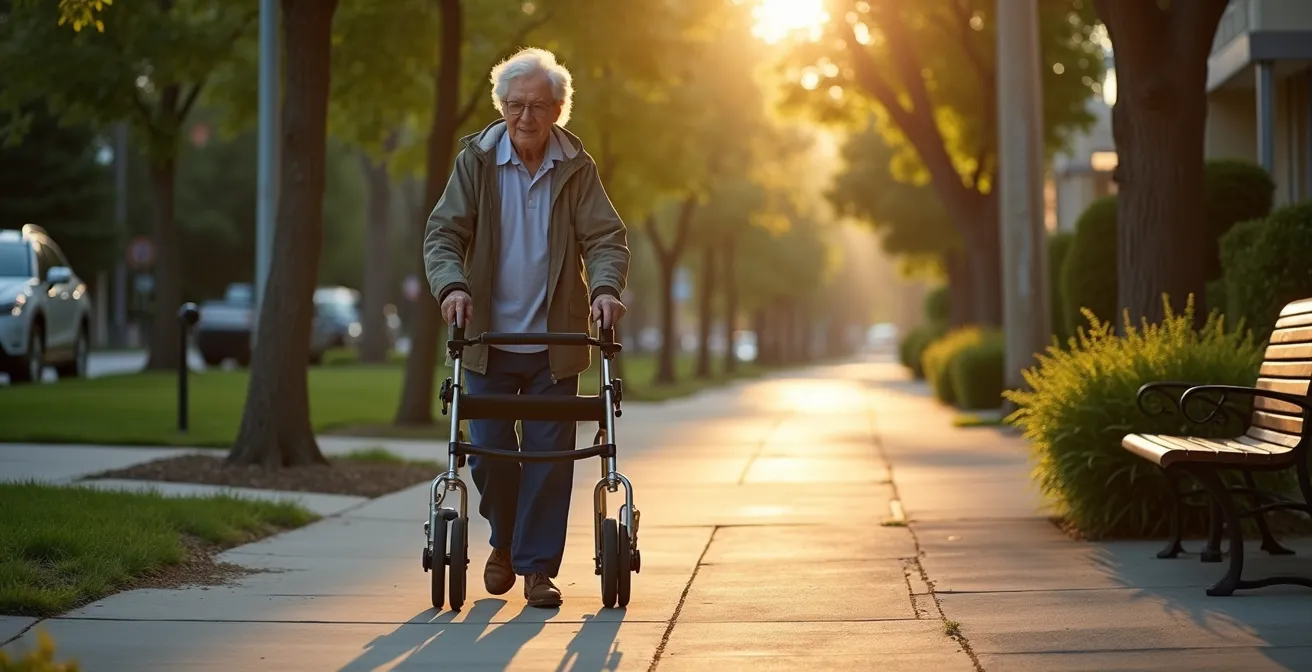
The fear of unpredictable public spaces often leads seniors to limit their outings, shrinking their world. This guide reframes the problem entirely. Instead of passively reacting to obstacles, you will learn to adopt the proactive and strategic mindset of an “urban accessibility scout.” By mastering techniques for digital reconnaissance, tactical navigation, and psychological preparation, you can transform daunting environments into manageable territories and confidently reclaim your freedom.
The feeling is all too common. A curb that looks like a cliff, a revolving door that spins too fast, a crowded sidewalk that feels like a gauntlet. For many seniors with limited mobility, the outside world can begin to feel less like an opportunity and more like a series of obstacles. This apprehension isn’t just about the physical risk of a fall; it’s a deep-seated fear of being caught unprepared, jostled, or stranded. The common advice to “be careful” or “ask for help” often falls short because it fails to address the core issue: a loss of control and confidence.
Many resources focus on strengthening balance or choosing the right cane, which are important but incomplete solutions. They address the body but not the environment or the strategic mind needed to navigate it. But what if the key wasn’t just to be more stable, but to be more strategic? What if you could learn to read the urban landscape like a scout, identifying safe havens, predicting challenges, and equipping yourself with a toolkit of tactics to handle them? This approach shifts the dynamic from one of fear and avoidance to one of empowerment and engagement.
This guide is your field manual. We will move beyond simple precautions and into the realm of proactive strategy, turning anxiety into a well-managed plan of action. We will explore how to use technology for reconnaissance, manage crowded spaces, overcome physical barriers, and systematically rebuild the confidence to not just survive, but thrive in your community.
To help you master this new approach, this article is structured as a strategic briefing. Explore the sections below to build your personal skillset as an urban accessibility scout.
Summary: A Scout’s Guide to Reclaiming Your Community
- Why Google Maps Accessibility Features Are Essential for Trip Planning?
- How to Navigate Crowded Spaces Without Being Jostled?
- Automatic Doors vs. ADA Buttons: What to Do When Neither Exists?
- The Mistake of Avoiding All Outdoor Activity Due to Fear of Falling
- How to Map “Rest Benches” on Your Walking Route?
- Overcoming the Social Stigma of Using Ambulatory Devices
- Selecting Social Companionship Programs That Actually Engage Seniors
- Why Google Maps Accessibility Features Are Essential for Trip Planning?
Why Google Maps Accessibility Features Are Essential for Trip Planning?
Every successful mission begins with good intelligence. Before you even step out the door, your smartphone can become your most powerful reconnaissance tool. Thinking like an urban scout means doing your homework, and Google Maps has evolved to be an indispensable part of this process. It’s no longer just for drivers; it’s a detailed map of the accessibility terrain. The platform has made significant strides, and a 2020 update highlighted that Google Maps now provides accessibility data for over 15 million places worldwide. This isn’t just a feature; it’s your advanced-scouting report.
By enabling the “Accessible Places” feature, your map transforms. Businesses with step-free entrances, accessible restrooms, and dedicated seating or parking are clearly marked. This allows you to perform digital reconnaissance, pre-emptively ruling out inaccessible venues and building your itinerary around known-safe locations. When planning a transit route, you can specifically filter for “wheelchair accessible” options, ensuring your journey from start to finish accounts for ramps and elevators. This simple act of planning removes a huge amount of uncertainty, which is often the root cause of the anxiety that keeps people home. It’s the first and most critical step in taking back control.
To activate your digital scouting tool, follow these simple steps:
- Ensure your Google Maps app is updated to the latest version.
- Tap your profile icon, then navigate to Settings > Accessibility settings (or ‘Accessible Places’).
- Toggle the “Accessible Places” feature on. You’ll now see a wheelchair icon next to accessible business names.
- When viewing a business’s page, scroll down to the “About” section to see detailed accessibility information.
How to Navigate Crowded Spaces Without Being Jostled?
Once your route is planned, the next challenge is navigating the “human terrain”—crowds. A busy store aisle or a crowded waiting room can be a major source of stress. The fear of being bumped, tripped, or having your mobility aid caught is very real. The strategic approach here is to create a protective buffer and manage your path proactively, rather than being passively swept along by the flow.
One of the most effective tactics is to use available tools to define your personal space. A shopping cart, for instance, is not just for groceries; it is a mobile shield. By keeping it in front of you, you create a natural, socially-acceptable barrier that encourages others to give you a wider berth. It also forces you to move at a deliberate pace and choose wider, more predictable paths, like the main arteries of a store rather than tight, cluttered side displays. This isn’t about being timid; it’s about controlling your immediate environment. The same principle applies when walking with a companion—having them walk slightly ahead on the most crowded side can act as a “wingman,” subtly clearing a path.

This proactive mindset extends to time management. As experts in senior mobility point out, it’s vital to plan for extra time when navigating busy locations. Feeling rushed adds immense stress and increases the likelihood of accidents. By building a buffer into your schedule, you grant yourself the permission to pause, assess a crowded area, and wait for a natural opening rather than pushing through. You move on your own terms. It’s a simple shift that has a profound impact on both safety and confidence.
Automatic Doors vs. ADA Buttons: What to Do When Neither Exists?
You’ve planned your route and are prepared for crowds, but then you’re faced with a common, formidable barrier: a heavy, manual door. While automatic doors and ADA buttons are more common, they are far from universal. A scout is always prepared for equipment failure or absence. When technology fails, tactics and technique take over. Having a plan for this specific scenario prevents a moment of helpless frustration from derailing an entire outing.
Your first tactic is to leverage the social environment. Position yourself near the entrance where you are visible to staff or other patrons. Making brief, friendly eye contact with someone heading in or out is often all it takes. A simple, polite request like, “Could you please hold the door for me?” is rarely refused. However, a true scout doesn’t rely solely on the kindness of strangers. Your mobility toolkit should include items for just this situation. Simple, low-tech tools can make a world of difference. Consider carrying:
- Rubber jar openers: These provide an excellent grip on smooth, round doorknobs that are difficult to turn.
- S-hooks: A lightweight S-hook can be used to pull open doors with lever-style handles without needing fine motor control or grip strength.
- The “hip-check”: When using a walker, learning to use your body weight and the walker’s frame to push open a heavy door is a valuable physical technique.
These small additions to your purse or pocket are part of a larger strategy of self-reliance. They are a declaration that you have anticipated a problem and have a solution ready. This preparation is a powerful antidote to the anxiety of the unknown, turning a potential moment of defeat into a minor, manageable task.
The Mistake of Avoiding All Outdoor Activity Due to Fear of Falling
The fear of falling is rational. The consequences can be serious, and the statistics are sobering. According to CDC data, one in four adults over 65 falls each year, and falling once doubles the chances of falling again. Faced with this reality, the seemingly logical response is to minimize risk by staying indoors. But this is a strategic error. This avoidance creates a dangerous feedback loop: inactivity leads to muscle weakness and loss of balance, which in turn increases the actual risk of falling. The fear becomes a self-fulfilling prophecy.
The scout’s approach is not to eliminate risk—which is impossible—but to manage it through confidence calibration and graded exposure. You don’t go from being homebound to hiking a mountain. You start with a small, achievable mission to recalibrate your sense of what’s possible. This systematic process builds both physical and mental resilience. It’s a structured program you design for yourself, turning a vague fear into a series of concrete, conquerable steps.
A successful graded exposure program might look like this:
- Week 1 (Micro-Goal): Walk to the end of your driveway and back once a day. Acknowledge the achievement.
- Week 2 (Expansion): Progress to the mailbox or your nearest neighbor’s house.
- Week 3 (Endurance): Add a five-minute walk around your immediate, familiar block.
- Week 4 (Destination): Graduate to visiting a nearby park bench, using your digital map to plan rest stops.
Each step is a victory that provides data, proving that movement is possible. The key is the post-outing ritual: consciously acknowledging your achievement out loud. This reinforces the positive experience and rewires the brain’s association of “outdoors” with “danger” to “outdoors” with “success.”
How to Map “Rest Benches” on Your Walking Route?
As you graduate to longer “missions,” strategic resting becomes as important as walking. A key part of advanced territorial mapping is identifying and charting “safe havens”—places where you can pause, recharge, and reassess. For a walk, the humble bench is the ultimate safe haven. The problem is, they don’t always appear on standard maps. This is where the scout’s mindset of active observation and utilizing a complete mobility toolkit comes into play.
First, you become an active data collector for your own personal map. On short, exploratory walks, make a mental or physical note of every bench, low wall, or other potential resting spot. This is your proprietary data. Second, you can contribute to and benefit from community knowledge. As Google has noted, much of its accessibility data comes from users themselves. By adding information about public seating when you see it, you help others while reinforcing your own knowledge of the area. Third, you prepare for a lack of infrastructure. What do you do when no benches are available? You bring your own.
Your mobility toolkit should include an option for portable seating, transforming any spot into a potential rest stop. The choice depends on the length of your outing and your support needs.
| Type | Weight | Setup Time | Best For |
|---|---|---|---|
| Tripod Stool | 1-2 lbs | 5 seconds | Quick rest stops |
| Cane with Seat | 2-3 lbs | Instant | Dual purpose support |
| Rollator with Seat | 15-20 lbs | No setup | Extended outings |
Owning a portable seat, as shown in this comparative analysis of mobility options, is a profound statement of independence. It means you are not reliant on the city’s planning. You create your own rest stops, giving you the freedom to explore routes that might otherwise seem too challenging.
Overcoming the Social Stigma of Using Ambulatory Devices
For some, the biggest barrier isn’t a curb or a crowd, but the ambulatory device itself. A walker or cane can feel like a label—a public announcement of fragility or age. This social stigma can be so powerful that some people choose dangerous instability over using a tool that could guarantee their safety. Overcoming this requires a powerful mental shift: the device is not a symbol of weakness, but a tool of empowerment. It is not a concession; it is a piece of strategic equipment that enables your freedom.
One of the most effective ways to make this mental shift is to take ownership of the device. Don’t just accept the standard-issue grey aluminum; transform it into a personal accessory. Personalization is a declaration of identity and confidence. It reframes the device from a medical appliance to a part of your personal style. Just as someone chooses a specific handbag or watch, you can choose to make your mobility aid an extension of your personality.
Consider these ways to personalize your mobility device and make it truly yours:
- Add colorful, high-quality grips or custom handle wraps in your favorite colors.
- Attach a stylish, functional bag or basket that complements your outfits.
- Apply reflective tape in creative patterns, adding both safety and flair.
- Consider a custom paint job or decorative decals that reflect your interests.
- Accessorize with practical additions like a cup holder or a phone mount.
This act of personalization reinforces a critical concept about boundaries. As the experts at Caring Senior Service state in their etiquette guide:
Never touch someone’s mobility aid without asking. This includes wheelchairs, walkers, canes, and scooters. Many people don’t realize that a mobility aid is an extension of the person using it. Touching or moving it without consent can feel invasive.
– Caring Senior Service, Mobility Aid Etiquette Guide
By making the device uniquely yours, you strengthen this invisible boundary and broadcast confidence, not frailty. It becomes part of your personal space, a tool you have chosen and customized for your specific missions.
Selecting Social Companionship Programs That Actually Engage Seniors
After mastering individual navigation, the final frontier is re-engaging socially. Social isolation is a major health risk, but jumping into any random senior program can be just as daunting as navigating a busy street. Not all programs are created equal. Applying your new “scout” mindset to selecting a social group is crucial. You are not just looking for something to do; you are vetting a potential “squad” for compatibility, accessibility, and genuine engagement.
A passive program where you are talked at is not engaging. A program that doesn’t accommodate mobility aids is not accessible. Your mission is to find a group that actively fosters connection and participation. Before committing, you must conduct reconnaissance. A good program will welcome your questions and be transparent about how they operate. Don’t be afraid to interview them as thoroughly as you’ve planned your walking routes.
Your goal is to assess the program’s culture and logistics to ensure it aligns with your needs and abilities. A thorough vetting process will prevent you from wasting time and energy on a poor fit.
Vetting Checklist for Social Programs
- Ask directly: “How do you welcome and integrate new members into the group?”
- Request to see a typical week’s or month’s activity schedule to assess the variety and level of activity.
- Inquire about their process for handling disagreements or conflicts between participants.
- Check if they offer trial periods, guest passes, or sample sessions before you commit.
- Verify that their facilities and planned outings can fully accommodate your mobility aid.
Treating the search for social connection with this level of strategic intent ensures that your efforts will be rewarded. You are not a passive recipient of services; you are an active agent selecting the environment and community that will best support your continued growth and independence. This is the ultimate expression of the urban scout’s philosophy.
Key Takeaways
- Adopt a strategic “urban scout” mindset to turn fear of the unknown into a manageable plan.
- Use digital tools like Google Maps for “digital reconnaissance” to plan accessible routes and remove uncertainty before you leave home.
- Proactively create a physical and social buffer in crowded spaces using tools like shopping carts or companions to control your immediate environment.
Why Google Maps Accessibility Features Are Essential for Trip Planning?
We return to where we started, but with a new perspective. Initially, we viewed Google Maps as a tool for planning a single trip. Now, having explored the full spectrum of urban navigation, we see its true potential. The accessibility features are not just for one-off missions; they are essential for building your master mission map. This is the culmination of the scout’s work: creating a living, personal atlas of your entire community.
Every piece of intelligence you’ve gathered feeds into this master map. The benches you’ve located, the stores with accessible doors you’ve confirmed, the social centers you’ve vetted—these are all waypoints and safe zones. Google Maps, with its ability to “save” and “label” locations, becomes your personal command center. You can create lists like “Accessible Coffee Shops” or “Parks with Benches.” You are no longer just reacting to the map; you are actively authoring it to reflect your reality and needs.
This long-term strategic planning is the final step in transforming your relationship with your environment. It solidifies the shift from a person with limited mobility to an expert navigator of their own territory. You possess the tactical skills to handle doors and crowds, the psychological resilience to manage fear, and now, the strategic overview to plan weeks and months ahead. The question is no longer “Can I go out today?” but “Where will my next mission take me?”
Your journey to reclaiming your community begins with a single, well-planned step. Start today by using these strategies to map out one small, successful mission.