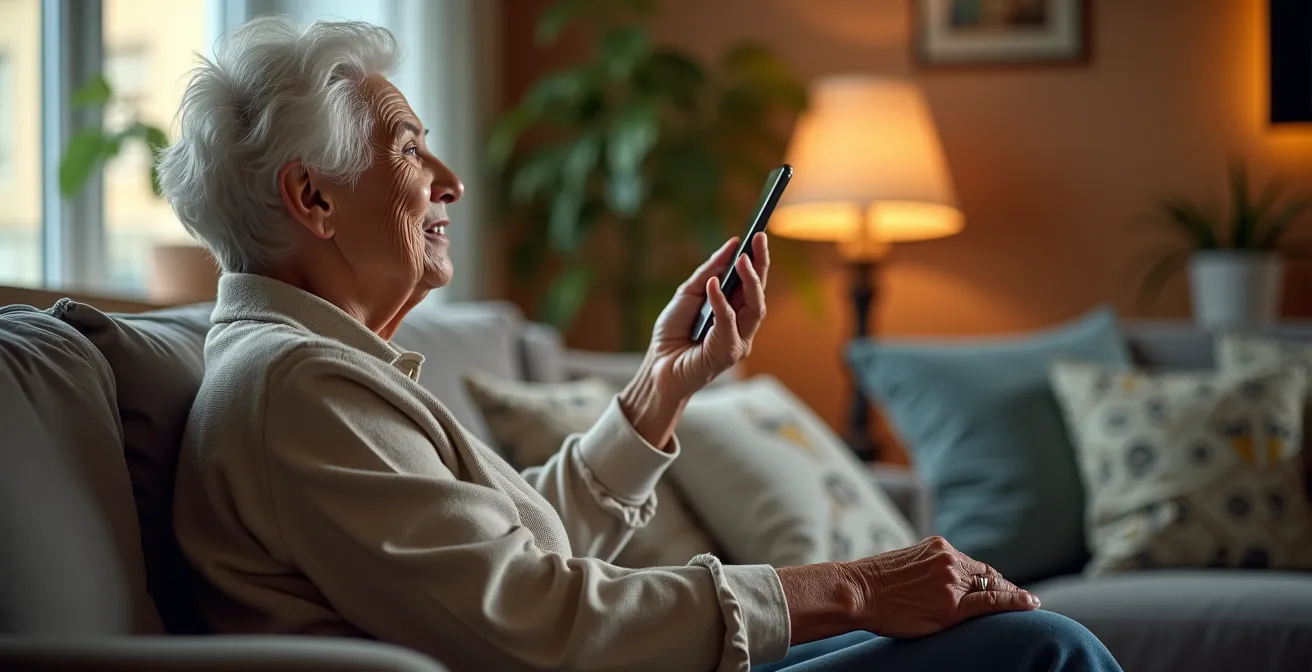
Effective voice control for a speech-impaired senior isn’t about finding a perfect device, but about building a forgiving, multi-layered support system.
- Success relies on combining simple voice commands with physical buttons and automated routines.
- A “tiered safety net”—from basic calls to monitored services—is more crucial than any single feature.
Recommendation: Start by implementing physical backups for critical functions and then layer on simple, phonetically easy voice commands, rather than aiming for complex conversational control from the outset.
For a senior navigating the challenges of Parkinson’s, stroke recovery, or arthritis, the simplest tasks can become monumental. Opening blinds, turning on a light, or even picking up a dropped item can be frustrating or hazardous. Many caregivers turn to voice-activated technology like Amazon Alexa or Google Home, hoping to restore a measure of independence. The promise is a hands-free environment where a simple command accomplishes a task that physical limitations make difficult.
However, the common approach of simply unboxing a smart speaker and teaching a few commands often leads to disappointment. Standard advice rarely accounts for the reality of a weak, strained, or inconsistent voice. When the technology fails to understand, it doesn’t just fail a task; it can erode the user’s confidence and deepen their sense of frustration. The problem is not with the technology itself, but with a strategy that demands vocal perfection from those who can’t provide it.
But what if the true key to success wasn’t finding the device with the best speech recognition, but architecting a more resilient and forgiving ecosystem around the senior? This guide shifts the focus from flawless commands to building a “vocal scaffolding”—a supportive framework where simple voice cues, physical backups, and intelligent routines work together. We will explore how to design a system that anticipates needs and adapts to the user’s abilities, transforming a smart home from a novelty into a genuine lifeline that restores agency and peace of mind.
In this article, you will discover the concrete strategies to build this supportive environment. We will cover everything from configuring a multi-layered emergency system to programming routines that simplify daily life, all while prioritizing the senior’s privacy and dignity.
Summary: A Practical Guide to Voice Automation for Seniors with Impaired Speech
- Why Voice Control Restores Independence for Arthritic Hands?
- How to Configure Smart Speakers for Emergency Calling?
- Amazon Alexa vs. Google Home: Which Has Better Accessibility Features?
- The Risk of Privacy Concerns and Protecting Senior Data
- How to Create “Routines” That Trigger Multiple Devices at Once?
- The Error of Relying on Tech That Requires Complex Voice Commands
- Reacher Grabbers vs. Bending Over: Which Prevents Dizziness?
- How to Program Dosage Cycles for 4-Times-Daily Meds?
Why Voice Control Restores Independence for Arthritic Hands?
The conversation around smart home technology often centers on convenience. But for seniors with conditions like severe arthritis, multiple sclerosis, or post-stroke motor deficits, the value proposition is far more profound: it’s about restoring agency. When hands are stiff, painful, or lack fine motor control, simple actions like gripping a remote, pulling a cord to open blinds, or pushing a small button on a thermostat become daily obstacles. Voice control bypasses these physical barriers entirely, transforming intent directly into action.
This isn’t a futuristic concept; it’s a rapidly expanding reality. The market for assistive technology is booming, with one analysis projecting that the AI in aging and elderly care market is expected to reach $322.4 billion by 2034. This growth is fueled by the technology’s ability to offer a level of environmental control that was previously impossible without human assistance. By delegating physical tasks to a voice assistant, a senior can conserve precious energy for more meaningful activities.
The psychological impact is just as significant. The ability to independently adjust one’s environment—to brighten a room, warm the house, or play soothing music—is fundamental to feeling at home and in control. For someone who has grown accustomed to relying on others for these small comforts, regaining that control is a powerful affirmation of their autonomy. It shifts their role from passive recipient of care to active director of their own comfort and well-being. This hands-free interaction is not merely a convenience; it’s a vital tool for preserving dignity and independence.
How to Configure Smart Speakers for Emergency Calling?
Beyond comfort and convenience, the single most critical function of a smart home for a senior is its potential as a safety device. The ability to call for help, especially after a fall or during a medical event when reaching a phone is impossible, can be life-saving. However, simply relying on the default “Call my daughter” command is not a robust strategy. A truly effective emergency system is a tiered safety net with built-in redundancies.
A comprehensive setup ensures that if one layer fails—perhaps due to a weak voice command or an internet outage—another layer is ready to take over. This involves integrating native speaker features with third-party services and physical, non-verbal backups. The goal is to create a resilient system that offers multiple ways to signal for help, tailored to the senior’s specific abilities and situation. This layered approach provides peace of mind for both the senior and their caregivers, knowing that a call for help is always within reach.
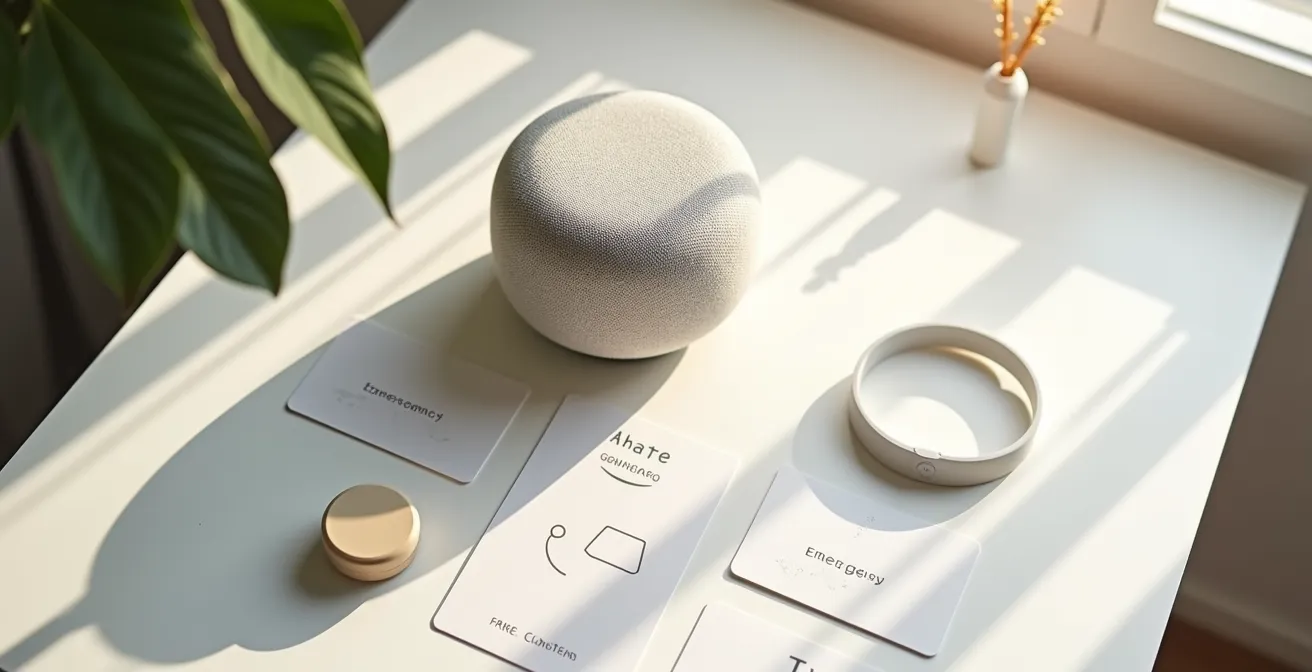
The visual arrangement of these tools, as shown above, is just as important as their technical configuration. Placing a physical panic button on a nightstand next to the speaker creates an intuitive and accessible safety station. It acknowledges that on some days, a physical press may be easier than a vocal command.
Action Plan: Building a Tiered Emergency Safety Net
- Configure Native Calling: Start with the basics. Program a primary emergency contact into the smart speaker’s app so it can be reached with a simple, clear voice command like “Alexa, call for help.”
- Subscribe to Monitoring Services: For enhanced protection, subscribe to a service like Alexa Guard Plus or a similar third-party offering. These can connect the user directly to a 24/7 emergency helpline.
- Integrate Physical Panic Buttons: Add a non-verbal backup. Link Alexa-compatible panic buttons (like those from Flic or other brands) to a routine that calls or texts multiple caregivers simultaneously.
- Create a Dedicated Emergency Routine: Program a special routine triggered by an easy-to-pronounce phrase like “Red Alert.” This routine can flash smart lights, call a primary contact, and send a text to a backup contact all at once.
- Enable Remote Check-ins: With full consent, set up the “Drop In” feature to allow a trusted caregiver to initiate a two-way audio call without the senior needing to answer, enabling quick wellness checks.
Amazon Alexa vs. Google Home: Which Has Better Accessibility Features?
When choosing a smart speaker for a senior with speech impairment, the central question isn’t “Which one is smarter?” but “Which one is a better listener?” Both Amazon Alexa and Google Assistant have made strides in accessibility, but they excel in different areas. The best choice depends on the specific nature of the user’s speech challenges and their comfort level with technology. A key consideration is the device’s ability to adapt to non-standard speech patterns and offer alternatives when voice commands fail.
Google often has an edge in understanding natural, conversational language, which can be beneficial. As the Onward Living Research Team notes in their study, this can be a significant advantage for seniors.
Google Assistant also offers follow-up question capabilities without repeating wake words, creating more natural conversations. This intuitive interaction reduces the technology learning curve and frustration many seniors experience with digital devices.
– Onward Living Research Team, Voice Recognition Tools for Elderly Independence Study
However, Alexa offers robust features like “Tap to Alexa” for non-verbal interaction and a vast library of third-party “Skills” that can extend its functionality. The decision requires a careful comparison of the features most relevant to overcoming the user’s specific barriers.
The following table breaks down key accessibility features to help caregivers make an informed choice. It highlights how each platform addresses challenges like speech pattern adaptation, the need for non-verbal inputs, and the fatigue caused by repeating wake words.
| Feature | Amazon Alexa | Google Home |
|---|---|---|
| Speech Pattern Adaptation | Voice training available, learns over time | Superior natural language understanding, follow-up questions without wake words |
| Non-Verbal Alternatives | Tap to Alexa feature for touchscreen input | Quick Phrases and Look and Talk features |
| Wake Word Repetition | Follow-up Mode reduces repetition | Continued Conversation mode available |
| Third-Party Integration | Extensive skills library, Flic button compatible | Strong Google ecosystem integration |
| Response Speed Adjustment | Adjustable speaking rate | Customizable response speeds for hearing changes |
The Risk of Privacy Concerns and Protecting Senior Data
Introducing an always-on listening device into a senior’s home naturally raises significant privacy concerns. For a generation often wary of new technology, the idea of a corporation recording their conversations can be a major barrier to adoption. Caregivers must address these legitimate fears head-on with transparency and proactive security measures. It’s not about dismissing the concerns, but about demonstrating how to take control of the data and minimize exposure.
The widespread adoption of these devices makes this conversation more important than ever. Projections indicate that voice assistant adoption in the US is projected to reach 170.3 million users by 2028, including a growing number of older adults. The key is to “harden” the device’s settings to build a digital fortress around the senior’s privacy. This involves a series of concrete steps that limit what the device can record, store, and do, transforming it from a potential liability into a trusted assistant.
By implementing a checklist of privacy-enhancing settings, caregivers can confidently reassure seniors that their personal lives will remain private. These are not complex technical maneuvers; they are simple toggles in the device’s app that put the user back in control. Taking these steps is a crucial part of building the trust necessary for the senior to feel comfortable and secure using the technology. Key actions to take include:
- Auto-delete voice recordings: This is the most important step. Configure the device to automatically delete all voice recordings every three months (or more frequently). This prevents a long-term history of conversations from being stored.
- Disable voice purchasing: Turn off all shopping and purchasing features to eliminate the risk of accidental orders, a common issue for users unfamiliar with the system.
- Review third-party permissions: Regularly audit the “skills” or “actions” that have been enabled and revoke access for any that are not essential or seem to require too much personal information.
- Enable the physical mute button: Teach the senior how to use the hardware mute button on top of the device. This physically disconnects the microphone, providing a guaranteed private moment whenever needed.
- Set up guest or secondary accounts: If multiple caregivers need access, configure limited-access accounts that don’t have full administrative control, protecting the primary settings.
How to Create “Routines” That Trigger Multiple Devices at Once?
The true power of voice automation is unlocked when you move beyond single commands (“turn on the light”) to creating “Routines” or “Scenes.” A routine is a single voice command that triggers a pre-programmed sequence of actions across multiple devices. This is where the system transitions from being a simple controller to a thoughtful assistant that simplifies the core Activities of Daily Living (ADLs). For a senior with a weak or easily fatigued voice, launching a complex sequence with one simple phrase is a game-changer.
Instead of saying three or four separate commands, the senior can use one easy-to-remember phrase. For example, a “Good Morning” routine could simultaneously turn on the bedroom lamp to a soft glow, adjust the thermostat to a comfortable temperature, and start playing a favorite radio station. This “bundling” of commands drastically reduces the vocal effort required to prepare for the day.
This approach has been successfully implemented in various elder care settings. The goal is to automate the predictable, repetitive parts of a daily schedule, freeing up the senior’s mental and physical energy. The following example illustrates how a simple departure routine can manage multiple systems throughout the home.
Case Study: The “Goodbye” Routine for ADL Automation
Smart home solutions provider ABB showcases how custom scenes can automate daily routines. These scenes can be activated by voice commands. For example, a user can program a voice-activated ‘Goodbye’ scene. When the resident leaves home and says the command, the system can automatically turn off all lights and entertainment devices, activate a robot vacuum cleaner to run while they are away, and adjust the temperature and window blinds to an energy-saving mode.
Creating these routines is done within the Alexa or Google Home app. The process involves selecting a trigger (the voice command) and then adding a series of actions. The key is to start small, automating one or two key moments in the day, like waking up or going to bed, and then expanding from there based on the senior’s needs and feedback. This customized automation is what makes the technology truly personal and supportive.
The Error of Relying on Tech That Requires Complex Voice Commands
One of the most common pitfalls in setting up a smart home for a speech-impaired senior is assuming the goal is to achieve perfect, conversational interaction. This approach often leads to frustration when the device misunderstands a complex sentence. The strategic error is relying solely on the most advanced layer of technology—natural language processing—without building a foundation of simpler, more reliable interaction methods. A truly resilient system embraces a “scaffolding” approach, where physical and simple vocal triggers form the base of support.
This is especially true for individuals with cognitive-communication disorders like aphasia. Research highlights the importance of professional guidance in these cases. For instance, a study on voice assistive technology for aphasia found that successful use often involved guidance from a speech-language pathologist (SLP).
Kulkarni and colleagues described the use of Google Home among adults with aphasia via speech-to-text (57%), speech therapy practice (43%) and ADLs (28%) with instructions from a speech-language pathologist (SLP) in the clinical setting.
– Kulkarni et al., Voice Assistive Technology for Cognitive-Communication Disorders Study
The lesson is clear: for complex needs, a forgiving system designed with professional input is key. The “Smart Interaction Pyramid” is a useful model for this. Instead of depending on one method, it layers interactions from most to least reliable:
- Foundation Layer (Most Reliable): Install physical smart buttons (like Flic or Zigbee buttons) for non-negotiable functions like turning on a main light or triggering an “I need help” routine. This layer requires no voice at all.
- Middle Layer (Simple Voice): Program routines triggered by extremely simple, one or two-word commands. Work with the senior (and an SLP, if possible) to identify their strongest phonemes and base triggers on phonetically simple words (“Lights on,” “Bed time”).
- Top Layer (Complex Voice): Reserve complex, natural language queries (“What’s the weather like in Boston tomorrow?”) for optional, non-critical convenience features. Failure at this layer should not impact safety or core comfort.
Reacher Grabbers vs. Bending Over: Which Prevents Dizziness?
While the focus of this guide is on high-tech voice solutions, a truly effective strategy for senior independence is pragmatic, not dogmatic. It’s about choosing the right tool for the job. Sometimes, the best tool isn’t a smart plug or a voice command, but a simple, reliable piece of low-tech assistive equipment. The title of this section, drawn from a common query, highlights a scenario where a physical tool often wins: preventing dizziness from bending over.
Voice automation is brilliant for tasks that involve reaching, stretching, or crossing a room. It can adjust a high thermostat, turn off a lamp across the room, or open heavy curtains without the user needing to move. These actions prevent the risk of losing balance or over-exerting oneself. However, voice control has its limits. It cannot, for instance, pick up a dropped pill from the floor.
In this scenario, a simple reacher grabber is the superior solution. It provides the precise physical manipulation needed for the task and directly prevents the senior from bending over, which can cause dizziness (orthostatic hypotension) or lead to a fall. The art of creating a truly helpful environment lies in knowing when to deploy a voice command and when to rely on a physical aid. This decision matrix helps clarify which tool is best suited for common household tasks.
| Task/Scenario | Best Solution | Rationale |
|---|---|---|
| Adjusting thermostat | Voice command | Eliminates need to walk to wall unit or reach high placement |
| Turning off high lamp | Voice command via smart plug | Prevents need for step stool or stretching |
| Picking up dropped pill | Reacher grabber | Precise physical retrieval still superior to automation |
| Unplugging fan | Voice command to smart plug | Eliminates bending down to floor outlets |
| Opening curtains | Voice-controlled smart blinds | Removes stretching and manual manipulation |
Key Takeaways
- The goal of voice automation for speech-impaired seniors is restoring agency, not just convenience.
- A “tiered safety net” with physical and digital backups is more crucial than any single emergency feature.
- Success depends on building a “forgiving system” with layered interactions (physical buttons, simple routines) rather than relying solely on complex voice commands.
How to Program Dosage Cycles for 4-Times-Daily Meds?
Medication adherence is one of the most critical and challenging aspects of senior care. A simple voice reminder is a good start, but for complex schedules—like medications required four times daily—a more interactive and “forgiving” system is needed. The risk of a missed or forgotten dose is too high to rely on a passive alert that can be easily ignored or unheard. This is where a well-programmed smart home can become an active partner in health management.
The solution is to create an interactive medication confirmation loop. This is not just a reminder; it’s a sequence that prompts for confirmation, escalates if no response is given, and alerts a caregiver as a final backstop. This closed-loop system provides a robust safety net, ensuring that a dose is not only announced but acknowledged. This is a significant and growing application, as the ambient assisted living and smart home market in North America holds a 33.1% market share, driven by such health-related applications.
Integrating this with physical cues, like a flashing smart light, adds another layer of communication for those who may be hard of hearing. The ultimate step is linking the voice system to a Wi-Fi-enabled smart pill dispenser, which can physically dispense the correct dose upon command or at the scheduled time, providing irrefutable confirmation. The following steps outline how to build this confirmation loop:
- Set Primary Reminders: Program a clear, specific voice announcement at the exact medication times (e.g., “It is now 8 AM. It’s time to take your morning medication.”).
- Add a Confirmation Prompt: Immediately after the reminder, configure the assistant to ask a direct question, such as, “Have you taken your medication?”
- Create an Escalation Path: If no verbal confirmation is received within 15 minutes, program a second, more insistent reminder.
- Configure Caregiver Alerts: If there is still no confirmation after 30 minutes, set up an automated action to send a text message or make a call to a designated caregiver’s phone.
- Integrate a Smart Dispenser: For maximum safety, connect a Wi-Fi-enabled pill dispenser that can be triggered by the routine and can report back when a dose has been taken.
- Add Visual Cues: Program a smart light in the room to flash a specific color (e.g., green) until the senior confirms they’ve taken their dose, providing a persistent, silent reminder.
By moving beyond simple commands and building a resilient, multi-layered system, you can transform a smart home into a powerful tool for independence. The next logical step is to start with the most critical function: implementing a tiered safety net and then progressively adding layers of convenience and automation tailored to your loved one’s specific needs.